-
Family budget app: see the whole family's spending in one place
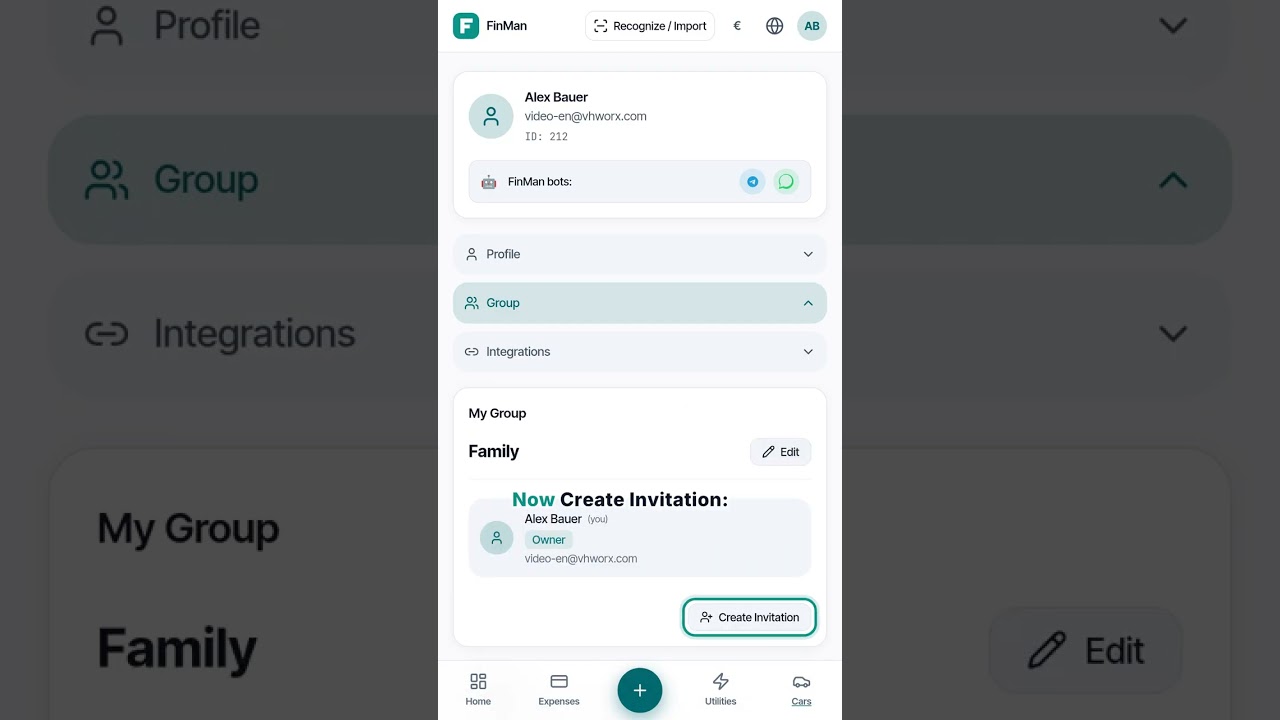
How to start
- Tap your profile at the top → «Profile» → the «Group» tab.
- «Create Group», type a name such as «Family» and tap «Add».
- «Create Invitation» → «Group Member» → «Create».
- Send the code or the link — it can open the Telegram or WhatsApp bot straight away.
What you get
- «Expenses» shows the whole family's purchases, and in «Filters» you can pick each person separately.
- Everyone records their own spending: by hand, from a bank statement or through the bot.
- A member can enter meter readings for your addresses.
Good to know
- A member sees only their own spending; the group owner sees everything together.
- Members' matching categories show up for you as one row.